
 Hyundai Azera: Changing Priority
What is Priority?
It is possible to pair up to five Bluetooth® Wireless Technology devices with the car audio system. The "Change Priority" feature is used to set the connection priority of paired phones.
Press the ![Select [Phone]](images/books/6/1/page.h446.gif) key
key
![Select [Paired Phone List]](images/books/6/1/page.h447.gif) Select [Phone]
Select [Phone]
 Select [Paired Phone List]
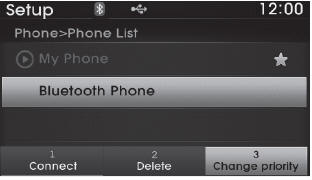
From the paired phone list, select the phone you want to switch to the highest
priority, then select the  button from
the Menu. The selected device will be changed to the highest priority.
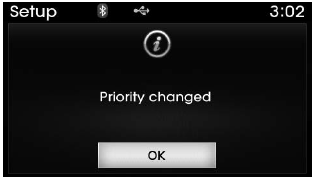
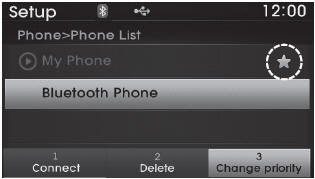
✽ NOTICE Priority icon will be displayed when the selected phone is set as a priority phone.
 Connecting a Device
Press the key
Select [Phone]
Select [Paired Phone List]
1) Connected Phone : Device that is currently connected
2) Paired Phone : Device that is paired but not connected
From the ...
 Disconnecting a Device
Press the key
Select [Phone]
Select [Paired Phone List]
From the paired phone list, select the currently connected device and select
the button.
...
See also:
Don't let your parking brake freeze
Under some conditions your parking brake can freeze in the engaged position.
This is most likely to happen when there is an accumulation of snow or ice around
or near the rear brakes or if the brake ...
Seats
Driver’s seat
(1) Forward and rearward
(2) Seatback angle
(3) Seat cushion height
(4) Lumbar support
(5) Cushion extension
(6) Driver position memory system
(7) Seat warmer/ Seat warmer wit ...
Schematic Diagrams
Circuit Diagram
...
Categories
Hyundai Azera Manuals
