
 Hyundai Azera: SRS Control Module (SRSCM) Repair procedures
Fifth generation HG (2011–2026) / Hyundai Azera 2011-2026 Service Manual / Restraint / SRSCM / SRS Control Module (SRSCM) Repair procedures
Hyundai Azera: SRS Control Module (SRSCM) Repair procedures
Fifth generation HG (2011–2026) / Hyundai Azera 2011-2026 Service Manual / Restraint / SRSCM / SRS Control Module (SRSCM) Repair procedures
Fifth generation HG (2011–2026) / Hyundai Azera 2011-2026 Service Manual / Restraint / SRSCM / SRS Control Module (SRSCM) Repair procedures
| Removal |
| 1. |
Remove the ignition key from the vehicle. |
| 2. |
Disconnect the battery negative cable and wait for at least three minutes before beginning work. |
| 3. |
Remove the floor console.
|
| 4. |
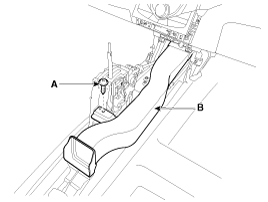
Loosen the screw (A) and then remove the rear air vent duct (B).
|
| 5. |
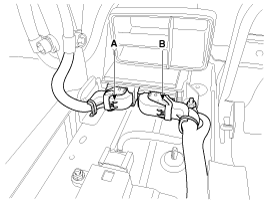
Pull up the lock, of the SRSCM connector, the disconnect the connector (A and B).
|
| 6. |
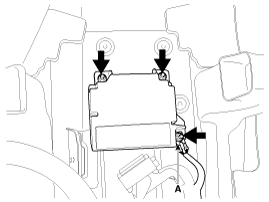
Remove the SRSCM mounting nuts (3EA) from the SRSCM, then remove the SRSCM. |
| Installation |
| 1. |
Remove the ignition key from the vehicle. |
| 2. |
Disconnect the battery negative cable and wait for at least three minutes before beginning work. |
| 3. |
Install the SRSCM with the SRSCM mounting nuts.
|

| 4. |
Connect the SRSCM harness connector. |
| 5. |
Install the rear air vent duct and floor console.
|
| 6. |
Reconnect the battery negative cable. |
| 7. |
After installing the SRSCM, confirm proper system operation:
|
| Variant coding |
After replacing the SRSCM, the “Variant Coding� must be performed.
|
Variant coding Procedure
| ?nbsp; On-Line type on GDS |
| 1. |
Ignition "OFF", connect GDS. |
| 2. |
Ignition "ON" & Engine "OFF" select vehicle name and airbag system. |
| 3. |
Select Variant coding mode. |
| 4. |
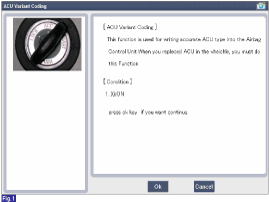
Follow steps on the screen as below. |
1) Initial ACU Variant Coding screen
2) VIN Code entering screen
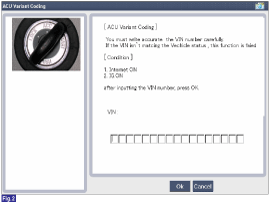
3) Variant coding's proceeding screen-1
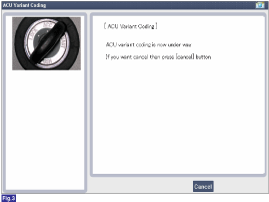
4) Variant coding's proceeding screen-2
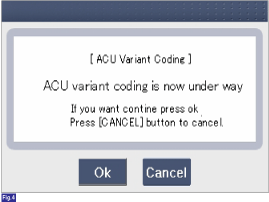
5) Variant coding is completed
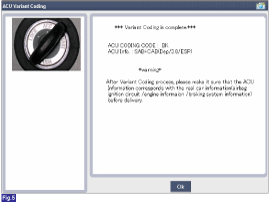
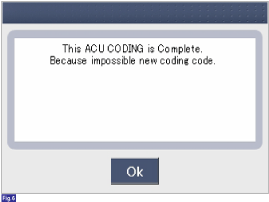
1) This screen is opened when you try the variant coding again on the SRSCM which has bee performed variant coding.
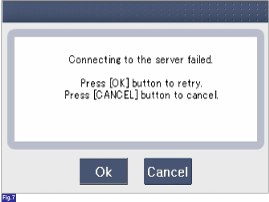
2) Screen of communication failure
|
?nbsp; Off-line type on GDS (This can be used when not connecting to internet)
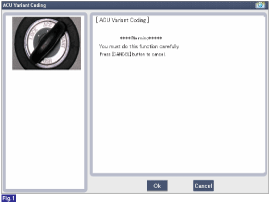
1) Initial ACU Variant Coding screen
2) ACU Coding Code entering screen
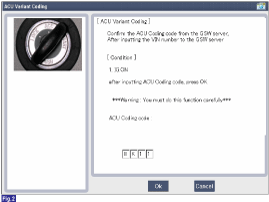
3) Screen of rechecking ACU Coding code's entering
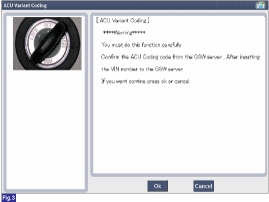
4) Variant coding's proceeding screen-1
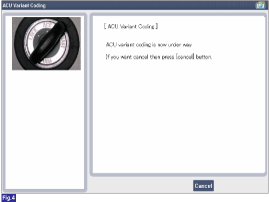
5) Variant coding's proceeding screen-2
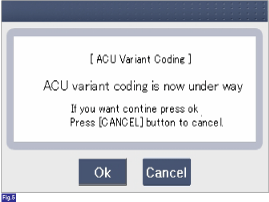
6) Variant coding is completed
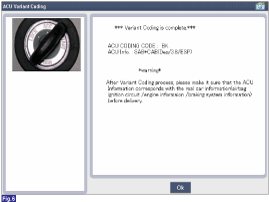
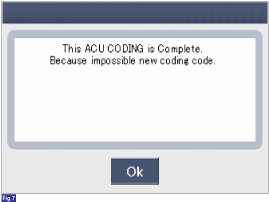
1) This screen is opened when you try the variant coding again on the SRSCM which has been performed variant coding.
|

 Front Impact Sensor (FIS) Description and Operation
Description
The front impact sensor (FIS) is installed in the Front End
Module (FEM). They are remote sensors that detect acceleration due to a
collision at its mounting location. The primary p ...
See also:
Normal maintenance schedule
The following maintenance services must be performed to ensure good emission
control and performance. Keep receipts for all vehicle emission services to protect
your warranty. Where both mileage and ...
To keep locks from freezing
To keep the locks from freezing, squirt an approved de-icer fluid or glycerine
into the key opening. If a lock is covered with ice, squirt it with an approved
de-icing fluid to remove the ice. If th ...
Water pump Components and Components Location
Components
1. Water pump pulley2. Water pump 3. Water pump gasket
...
Categories
Hyundai Azera Manuals

© 2011-2026 Copyright www.hgmanual.com