
 Hyundai Azera: Changing Priority
What is Priority?
It is possible to pair up to five Bluetooth® Wireless Technology devices with the car audio system. The "Change Priority" feature is used to set the connection priority of paired phones.
Press the ![Select [Phone]](images/books/6/1/page.h446.gif) key
key
![Select [Paired Phone List]](images/books/6/1/page.h447.gif) Select [Phone]
Select [Phone]
 Select [Paired Phone List]
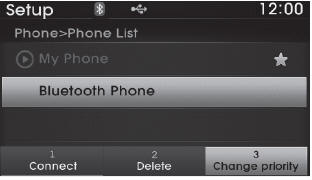
From the paired phone list, select the phone you want to switch to the highest
priority, then select the  button from
the Menu. The selected device will be changed to the highest priority.
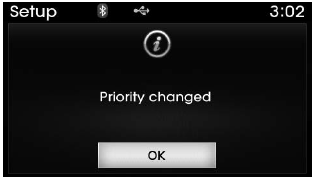
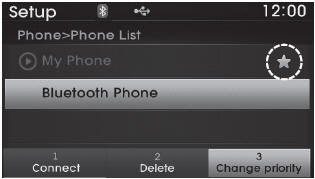
✽ NOTICE Priority icon will be displayed when the selected phone is set as a priority phone.
 Connecting a Device
Press the key
Select [Phone]
Select [Paired Phone List]
1) Connected Phone : Device that is currently connected
2) Paired Phone : Device that is paired but not connected
From the ...
 Disconnecting a Device
Press the key
Select [Phone]
Select [Paired Phone List]
From the paired phone list, select the currently connected device and select
the button.
...
See also:
Trunk Lid Key Holder Components and Components Location
Component Location
1. Trunk lid key holder
...
Battery recharging
Your vehicle has a maintenance-free, calcium-based battery.
If the battery becomes discharged in a short time (because, for example,
the headlights or interior lights were left on while the vehi ...
Fuel Pump Motor Repair procedures
Removal
1.
Remove the fuel pump.
(Refer to Fuel Delivery System - “Fuel Pump�)
2.
Disconnect the electric pump wiring connector (A) and the fuel sender connector (B).
3.
Remove the c ...
Categories
Hyundai Azera Manuals
