
 Hyundai Azera: Using AUX Mode
Fifth generation HG (2011–2026) / Hyundai Azera 2011-2026 Owners Manual / Features of your vehicle / Aux mode / Using AUX Mode
Hyundai Azera: Using AUX Mode
Fifth generation HG (2011–2026) / Hyundai Azera 2011-2026 Owners Manual / Features of your vehicle / Aux mode / Using AUX Mode
Fifth generation HG (2011–2026) / Hyundai Azera 2011-2026 Owners Manual / Features of your vehicle / Aux mode / Using AUX Mode
Press the ![Select [AUX]](images/books/6/1/page.h374.gif) key
key
 Select [AUX]
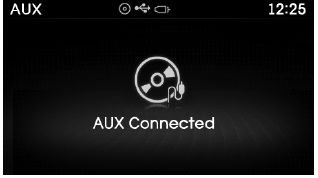
An external device can be connected to play music.
✽ NOTICE
- If an external device connector is connected with the AUX terminal, then AUX mode will automatically operate. Once the connector is disconnected, the previous mode will be restored.
- AUX mode can be used only when an external audio player (camcorder, car VCR, etc.) has been connected.
- The AUX volume can be controlled separately from other audio modes.
CAUTION
- Connecting a connector jack to the AUX terminal without an external device will convert the system to AUX mode, but only output noise. When an external device is not being used, also remove the connector jack.
- When the external device power is connected to the power jack, playing the external device may output noise. In such cases, disconnect the power connection before use.
- Fully insert the AUX cable to the AUX jack uponuse.
 Aux mode
...
 Connecting an External Device
External audio players (Camcorders, car VCR, etc.) can be played through a dedicated
cable. ...
See also:
Front Door Latch Components and Components Location
Component Location
1. Front door latch
...
Refrigerant line Repair procedures
Replacement
1.
Discharge refrigerant from refrigeration system.
2.
Replace faulty tube or hose.
Cap the open fittings immediately to keep moisture or dirt out of the s ...
Basic Mode Screen
(1) Mode Displays currently operating mode.
(2) Operation State From Repeat / Shuffle / Scan, displays the currently operating
function.
(3) Track Info Displays information about the cu ...
Categories
Hyundai Azera Manuals

© 2011-2026 Copyright www.hgmanual.com