
 Hyundai Azera: Rear Hub - Carrier Repair procedures
Fifth generation HG (2011–2026) / Hyundai Azera 2011-2026 Service Manual / Driveshaft and axle / Rear Axle Assembly / Rear Hub - Carrier Repair procedures
Hyundai Azera: Rear Hub - Carrier Repair procedures
Fifth generation HG (2011–2026) / Hyundai Azera 2011-2026 Service Manual / Driveshaft and axle / Rear Axle Assembly / Rear Hub - Carrier Repair procedures
Fifth generation HG (2011–2026) / Hyundai Azera 2011-2026 Service Manual / Driveshaft and axle / Rear Axle Assembly / Rear Hub - Carrier Repair procedures
| Replacement |
| 1. |
Loosen the wheel lug nuts slightly.
Raise the vehicle, and make sure it is securely supported. |
| 2. |
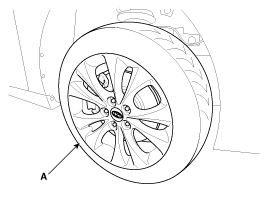
Remove the rear wheel and tire (A) from front hub.
|

| 3. |
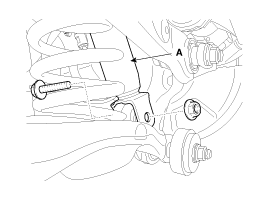
Loosen the bolt & nut and then disconnect the shock absorber (A) with the rear axle.
|
| 4. |
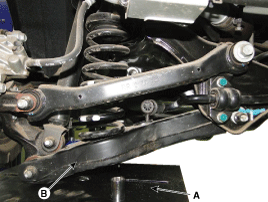
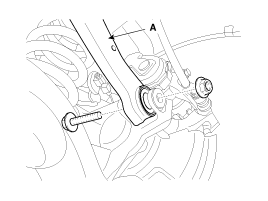
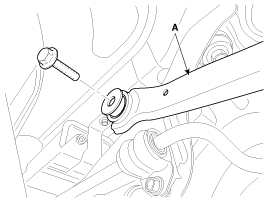
Loosen the rear upper arm bolts and nut and then remove the rear upper arm (A).
|
| 5. |
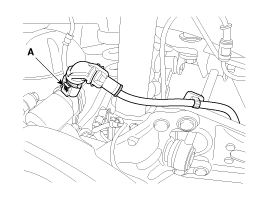
Disconnect the parking brake connector (A).
|
| 6. |
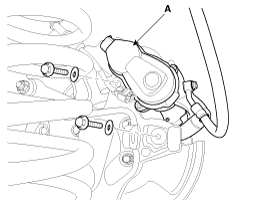
Remove the brake caliper mounting bolts, and then hold the brake caliper assembly (A) with wire.
|
| 7. |
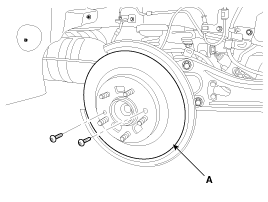
Loosen the disc mount screw and then brake disc (A).
|
| 8. |
Remove the wheel speed sensor (A) and brake hose.
|
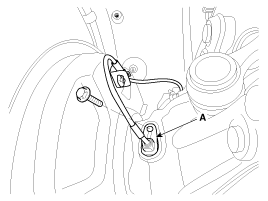
| 9. |
Loosen the hub bearing mounting, and then remove the hub bearing (A) from knuckle.
|
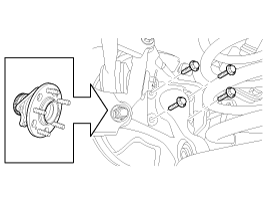
| 10. |
Loosen the assist arm mounting nut and then remove the assist arm (A).
|
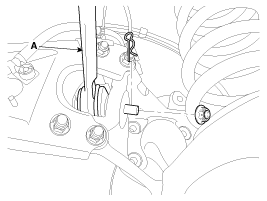
| 11. |
Loosen the trailing arm mounting nuts, and then remove the trailing arm (A),
|
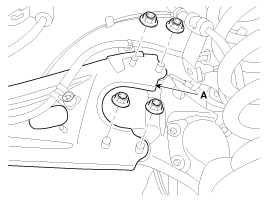
| 12. |
Loosen the lower arm mounting bolt and nut and then remove the rear hub assembly (A).
|
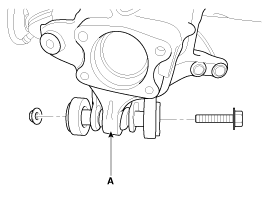
| Inspection |
| 1. |
Check the hub for cracks and the splines for wear. |
| 2. |
Check the brake disc for scoring and damage. |
| 3. |
Check the rear axle carrier for cracks. |
| 4. |
Check the bearing for cracks or damage.
|
| Installation |
| 1. |
Installation is the reverse of removal.
|
 Rear Hub - Carrier Components and Components Location
Components
1. Parking Brake Assembly2. Rear Carrier Assembly3. Rear Hub Assembly4. Rear Brake Disc
...

See also:
Panoramaroof Assembly Repair procedures
Removal
1.
Remove the roof trim.
(Refer to Roof Trim - "Roof Trim Assembly")
2.
Remove the rear window glass.
(Refer to "Rear Window Glass")
3.
Remove the movable glass.
(Refer to Panor ...
Seat belt restraint system
Seat belts are designed to bear upon the bony structure of the body, and should
be worn low across the front of the pelvis or the pelvis, chest and shoulders, as
applicable; wearing the lap section ...
Categories
Hyundai Azera Manuals

© 2011-2026 Copyright www.hgmanual.com