
 Hyundai Azera: Using Radio Mode
Fifth generation HG (2011–2025) / Hyundai Azera 2011-2025 Owners Manual / Features of your vehicle / Radio mode / Using Radio Mode
Hyundai Azera: Using Radio Mode
Fifth generation HG (2011–2025) / Hyundai Azera 2011-2025 Owners Manual / Features of your vehicle / Radio mode / Using Radio Mode
Selecting Presets
Press the  key
key
Select 
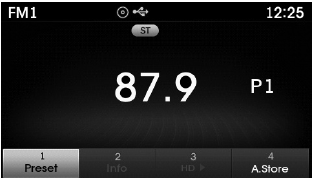
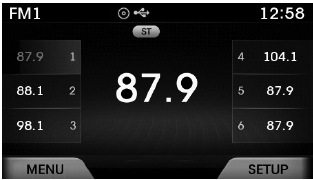
The 6 presets are displayed. Press the
 ~
~
 key to play the desired preset.
Saving Presets
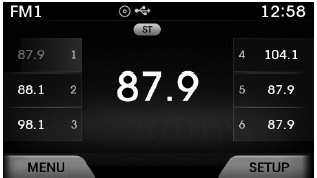
After selecting the frequency  Press
Press
and hold the desired preset  ~
~
key.
A 'beep' will sound and the frequency is saved to the selected preset button.
Auto Store
After pressing the  key
key
 Select the
 button to automatically save receivable
frequencies to Preset buttons.
A total of 18 frequencies with six preset frequencies each for FM1 / FM2 / AM modes can be saved.
✽ NOTICE
While Auto Store is operating, selecting the
 button again will cancel the function
and restore the previous frequency.
Scan
Press the  key to scan all radio
frequencies.
Press and hold the  key (over 0.8
seconds) to scan preset buttons.
- Scan All :Scans frequencies with superior reception for 5 seconds each.
- Preset Scan : Scans broadcasts saved to presets for 5 seconds each.
Once scan is complete, the previously playing frequency is restored.
During Scan, pressing the  key again
will cancel the scan operation and restore the previously played frequency.
 Searching Radio Frequencies
Using Seek
Press the key to play the previous/next
frequency.
Using TUNE
Turn the ,
keys to select the frequency.
FM : Increases/decreased by 200kHz
AM : Increases/decreased by 10kHz
...
 XM Radio mode
...
See also:
Crash Pad Lower Panel Repair procedures
Replacement
•
When prying with a flat-tip screwdriver, wrap it with
protective tape, and apply protective tape around the related parts, to
prevent damage.
•
...
Special Service Tools
Special Service Tools
ItemIllustrationApplicationFuel Pressure Gauge(09353-24100)Measuring the fuel line pressureFuel Pressure Gauge Adapter(09353-02100)Connection between the high pressure fuel ...
MEDIA MODE
Pressing the key will change the
operating mode in order of CD➟USB(iPod®)➟AUX➟My Music ➟ BT Audio.
If [Mode Pop up] is turned on within
[Display], then pressing t ...
Categories
Hyundai Azera Manuals
