
 Hyundai Azera: iPod® Mode Menu
Fifth generation HG (2011–2026) / Hyundai Azera 2011-2026 Owners Manual / Features of your vehicle / iPod® Mode / iPod® Mode Menu
Hyundai Azera: iPod® Mode Menu
Fifth generation HG (2011–2026) / Hyundai Azera 2011-2026 Owners Manual / Features of your vehicle / iPod® Mode / iPod® Mode Menu
If you press the  key, you will
have access to the Repeat, Shuffle and List features.
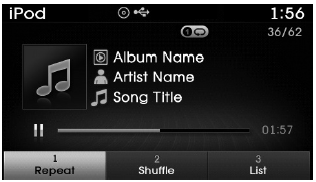
Repeat
Press the  key
key
 Select

- Repeat Once : Repeats the current song.
Shuffle
Press the  key
key
 Select

- Shuffle Album : Plays songs within the current category in random order.
- Shuffle All : Plays all songs in Random order.
List
Press the  key
key
 Select

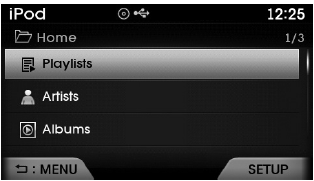
Press the  ,
,
 keys to search for the desired file
and press the  key to select.
 Using iPod® Mode
Playing/Pausing iPod® Songs
Once an iPod® is connected, the mode will automatically start and begin playing
an iPod® song.
While playing, press the key to
pause and press again to play.
...
 Aux mode
...
See also:
Rear Seat Back Cover Repair procedures
Replacement
•
Use a plastic panel removal tool to remove interior trim pieces to protect from marring the surface.
•
Take care not to bend or scratch the trim and ...
A/C Pressure Transducer Description and Operation
Description
A/C pressure transducer convert the pressure value of high
pressure line into voltage value after measure it. By converted voltage
value, engine ECU controls cooling fan by operatin ...
Reset items
Items should be reset after the battery has been discharged or the battery has
been disconnected.
Auto up/down window (See section 4)
Sunroof (See section 4)
Driver position memory system (Se ...
Categories
Hyundai Azera Manuals
