
 Hyundai Azera: Cowl Cross Bar Assembly Repair procedures
Fifth generation HG (2011–2026) / Hyundai Azera 2011-2026 Service Manual / Body (Interior and Exterior) / Crash Pad / Cowl Cross Bar Assembly Repair procedures
Hyundai Azera: Cowl Cross Bar Assembly Repair procedures
Fifth generation HG (2011–2026) / Hyundai Azera 2011-2026 Service Manual / Body (Interior and Exterior) / Crash Pad / Cowl Cross Bar Assembly Repair procedures
Fifth generation HG (2011–2026) / Hyundai Azera 2011-2026 Service Manual / Body (Interior and Exterior) / Crash Pad / Cowl Cross Bar Assembly Repair procedures
| Replacement |
|

| 1. |
Remove the main crash pad assembly.
(Refer to Crash Pad - "Main Crash Pad Assembly") |
| 2. |
Remove the cowl top cover.
(Refer to "Cowl Top Cover") |
| 3. |
Disconnect the blower unit connectors. |
| 4. |
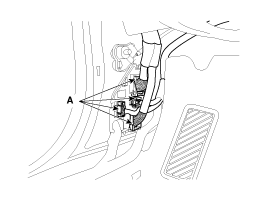
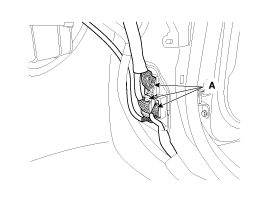
Disconnect the multi box connectors (A).
[Driver's]
[Passenger's]
|
| 5. |
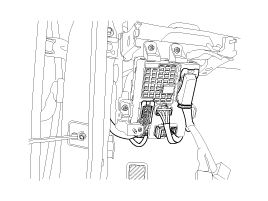
Disconnect the passenger compartment junction box connectors.
|
| 6. |
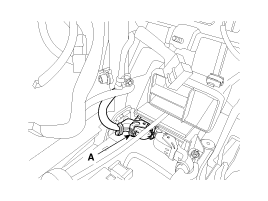
Disconnect the airbag control module (SRSCM) connectors (A).
|
| 7. |
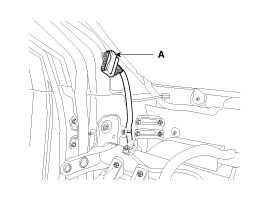
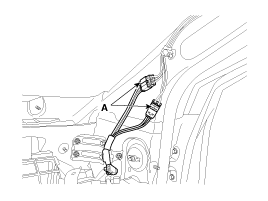
Disconnect the connector (A) and the mounting clips in the front pillar.
[Driver's]
[Passenger's]
|
| 8. |
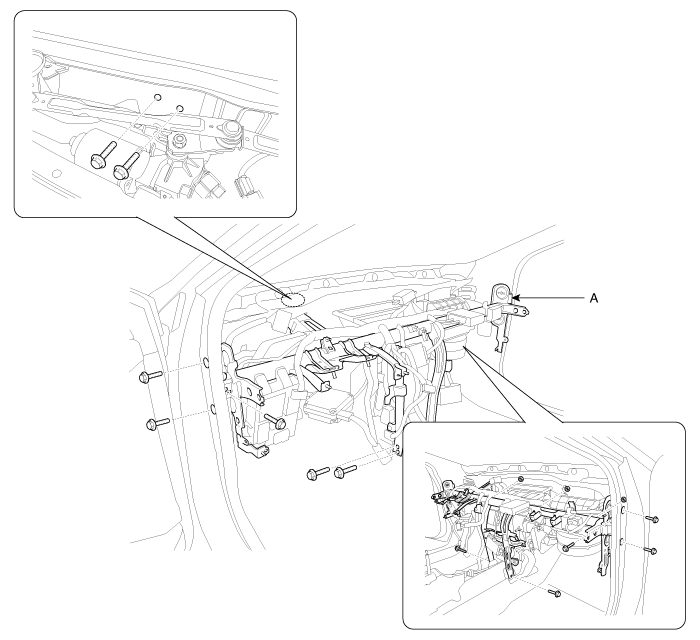
After loosening the mounting bolts and nuts, then remove the cowl cross bar assembly (A).
|
| 9. |
Installation is the reverse of removal.
|

 Cowl Cross Bar Assembly Components and Components Location
Component Location
1. Cowl cross bar assembly
...
 Roof Trim
...
See also:
Specifications
General Information
Specifications
ItemSpecificationTypeElectric Power Steering SystemSteering gearTypeRack & PinionRack stroke148mm (5.8268 in.)Steering angle(Max.)Inner40.52 °±2 °Oute ...
Camshaft Position Sensor (CMPS) Specifications
Specification
ItemSpecificationOutput Voltage (V)High: 5.0VLow: 0.7VAir Gap (mm)0.5 ~ 1.5
...
General Information
Basic Service Symbols
There are five primary symbols used to complement
illustrations. These symbols indicate the part to apply such materials
during service.
SymbolMeaningDo not reuse the p ...
Categories
Hyundai Azera Manuals

© 2011-2026 Copyright www.hgmanual.com