
 Hyundai Azera: Using USB Mode
Fifth generation HG (2011–2026) / Hyundai Azera 2011-2026 Owners Manual / Features of your vehicle / USB Mode / Using USB Mode
Hyundai Azera: Using USB Mode
Fifth generation HG (2011–2026) / Hyundai Azera 2011-2026 Owners Manual / Features of your vehicle / USB Mode / Using USB Mode
Playing/Pausing USB Files
Once a USB is connected, the mode will automatically start and begin playing a USB file.
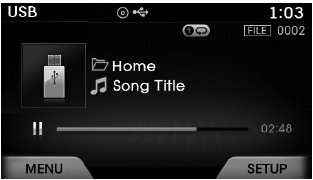
While playing, press the  key to
pause and press again to play.
✽ NOTICE
- Loading may require additional time if there are many files and folders within the USB and result in faulty list display or file searching. Normal operations will resume once loading is complete.
- The device may not support normal operation when using a USB memory type besides (Metal Cover Type) USB Memory.
Changing Files
Press the  keys to select the previous
or next file.
✽ NOTICE
- Pressing the
 key
key
after the file has been playing for 2 seconds will start the current file from the beginning. - Pressing the
 key before
the file has been playing for 1 seconds will start the previous file.
Selecting from the List
Press the  ,
,
 keys to search and select desired
files.
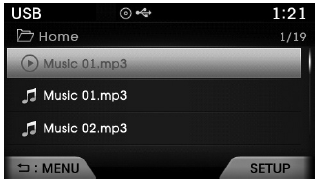
Once you find the desired file, press the
 key to start playing.
Rewinding / Fast-forwarding Files
While playing, press and hold the
 keys (over 0.8 seconds) to rewind
or fast-forward the current file.
Scan
Press the  key to play the first
10 seconds of each file.
Searching Folders
Select the folder by using the 
,  keys and press the
 key to select.
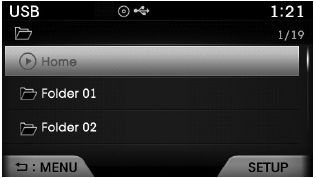
The first file within the selected folder will begin playing.
 Basic Mode Screen
(1) Mode Displays currently operating mode.
(2) Operation State From Repeat / Shuffle / Scan, displays the currently operating
function.
(3) File Index Displays the current file number.
(4) Fi ...
 USB Mode Menu
If you press the key, you will
have access to the Repeat, Shuffle, List, Info and Copy features.
Repeat
Press the key
Select
Each time the button is pressed, the
feature changes in o ...
See also:
Side repeater light bulb replacement
If the light bulb does not operate, have the vehicle checked by an authorized
HYUNDAI dealer. ...
Brake hoses and lines
Visually check for proper installation, chafing, cracks, deterioration and any
leakage. Replace any deteriorated or damaged parts immediately. ...
Mode Control Actuator Repair procedures
Inspection
1.
Ignition "OFF�
2.
Disconnect the connector of mode control actuator.
3.
Verify that the mode control actuator operates to the defrost
mode when connecting 12V to the term ...
Categories
Hyundai Azera Manuals
